
VSCode in NixOS in WSL2
How to get VSCode to work with NixOS running in WSL2
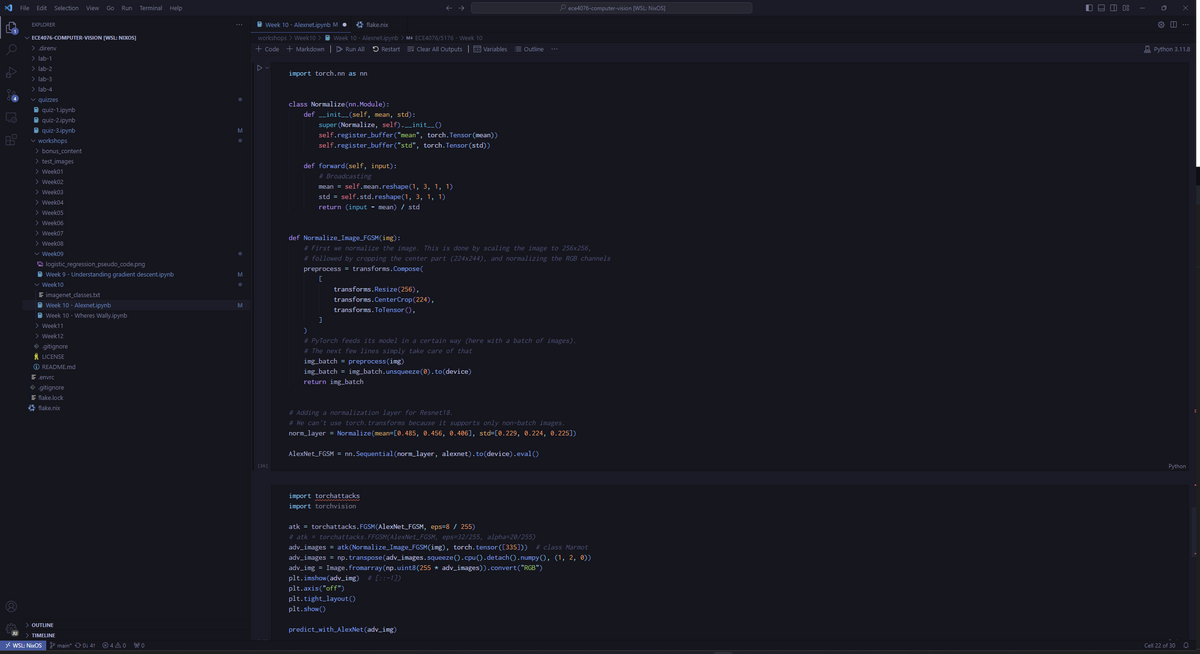
If you're a VSCode enjoyer like me, you may have tried to get VSCode running within NixOS in WSL. Unfortunately, it's not as simple as opening the terminal and typing code ., as the way NixOS is structured causes a number of things to break.
Fixing node
The first problem you will likely run into is the instance of node bundled with the downloaded vscode-server failing to run:
/home/lucas/.vscode-server/bin/1a5daa3a0231a0fbba4f14db7ec463cf99d7768e/bin/remote-cli/code: line 12: /home/lucas/.vscode-server/bin/1a5daa3a0231a0fbba4f14db7ec463cf99d7768e/node: cannot execute: required file not foundThis is because node's shared library dependencies aren't in the usual places in NixOS. To fix this, we can enable the patcher provided by the Nix community: https://github.com/nix-community/nixos-vscode-server.
After starting the unit manually or restarting the WSL instance with wsl -t nixos, the node binary included with the vscode-server will have been patched to point to the correct shared libraries.
Another jankier way to fix this is to symlink the node binary to one installed by nix with:
ln -sf $(which node) /home/lucas/.vscode-server/bin/1a5daa3a0231a0fbba4f14db7ec463cf99d7768e/nodePrograms not found
Another issue you may (or may not) run into is the following:

If you turn on debugging in the WSL extension settings you should see the following somewhere in the output:
[2023-11-18 06:26:18.266] + printf 'Setting up server environment: Looking for %s. ' /home/lucas/.vscode-server/server-env-setup
[2023-11-18 06:26:18.266] + '[' -f /home/lucas/.vscode-server/server-env-setup ']'
[2023-11-18 06:26:18.266] + echo 'Not found.'
[2023-11-18 06:26:18.266] + VSCODE_REMOTE_BIN=/home/lucas/.vscode-server/bin
[2023-11-18 06:26:18.266] ++ uname -r
[2023-11-18 06:26:18.266] /mnt/c/Users/Lucas/.vscode/extensions/ms-vscode-remote.remote-wsl-0.81.8/scripts/wslServer.sh: line 28: uname: command not found
[2023-11-18 06:26:18.266] + WSL_VERSION=
[2023-11-18 06:26:18.266] + echo 'WSL version:  NixOS'
[2023-11-18 06:26:18.266] ++ dirname /mnt/c/Users/Lucas/.vscode/extensions/ms-vscode-remote.remote-wsl-0.81.8/scripts/wslServer.sh
[2023-11-18 06:26:18.266] /mnt/c/Users/Lucas/.vscode/extensions/ms-vscode-remote.remote-wsl-0.81.8/scripts/wslServer.sh: line 32: dirname: command not found
[2023-11-18 06:26:18.266] + /wslDownload.sh 1a5daa3a0231a0fbba4f14db7ec463cf99d7768e stable /home/lucas/.vscode-server/bin
[2023-11-18 06:26:18.266] /mnt/c/Users/Lucas/.vscode/extensions/ms-vscode-remote.remote-wsl-0.81.8/scripts/wslServer.sh: line 32: /wslDownload.sh: No such file or directory
[2023-11-18 06:26:18.266] + RC=127
[2023-11-18 06:26:18.266] + '[' 127 -ne 0 ']'
[2023-11-18 06:26:18.266] + exit 127
We can see that programs included in the coreutils package are not being found. The reason for this can be found further up in the logs, where you can find the current value of the environment PATH variable:
/usr/local/sbin:/usr/local/bin:/usr/sbin:/usr/bin:/sbin:/bin:/usr/games:/usr/local/games:/usr/lib/wsl/lib:{windows path}Here we see that the PATH variable is missing the paths that NixOS adds to it (things like /run/current-system/sw/bin or /etc/profiles/per-user/{username}/bin), and where you would have you coreutils binaries available (depending on where exactly you have them installed in you NixOS config). In other, more standard distros like Ubunutu, those programs would be found somewhere in those standard PATH directories.
So why would your PATH suddenly be different from where you launched VSCode? After all, those programs should be accessible in the shell that you ran code from.
The reason has to do with how the VSCode WSL extensions works, which goes somewhere along these lines (as far as I can tell):
- You run
code.exe(in Windows) from the WSL environment - VSCode somehow figures out it was called from there and starts the WSL extension
- The WSL extension (in Windows) runs commands in WSL by passing them directly to
wsl.exe, eventually starting the vscode-server in WSL - VSCode connects to the vscode-server started by the extension
The issue is in step 3: the vscode-server is not started using the same environment that you called code from. If you look around in the WSL extension debug logs, you can see how exactly step 3 is being callbed. You should be able to find something that looks like this:
NodeExecServer run: C:\Windows\System32\wsl.exe -d NixOS -e sh -c {some command}The problem with this command is that sh -c {some command} runs the command in a shell that isn't a login shell - i.e. that shell is missing the PATH additions that NixOS needs in order to function.
This can be fixed by adding the -l flag to the sh command - i.e. changing the run commands to:
NodeExecServer run: C:\Windows\System32\wsl.exe -d NixOS -e sh -l -c {some command}Indeed this is exactly how one my other computers runs the commands without any modifications, and I have no clue why the WSL extension is different between the two devices.
The fix
In order to fix this, we must patch the file that creates those commands. The file is ~/.vscode/extensions/ms-vscode-remote.remote-wsl-{some version}/dist/node/wslDaemon.js in Windows. We could patch the file directly but then it would break if the extension updates, so instead we will put the patch in .~vscode-server/server-env-setup so that it gets run every time the server is started (more on server-env-setup here).
if ! ls; then
  PATH="$PATH:/run/current-system/sw/bin"
fi
daemon_path=$(ls /mnt/c/Users/Lucas/.vscode/extensions/ms-vscode-remote.remote-wsl-*/dist/node/wslDaemon.js)

if [ -z $daemon_path ]; then
  echo "vscode wsl extension not installed"
  exit 0
fi

sed -iold 's/"sh",[[:space:]]*"-c"/"sh","-l","-c"/g' $daemon_pathThis script first adds the path of coreutils programs to the path. If your's are in a different path you can change that line. If you want it to be agnostic then you could set it as $PATH:${pkgs.coreutils}/bin in home-manager if you're using it.
You can add this file manually or have home-manager do it.
So there we go, VSCode should now be working with your NixOS on WSL.
Happy coding👩💻